Engineering education — online course
Industrial Automation Online Course — MATLAB/Simulink to PLC over OPC UA
A video course that takes engineers from a first Simulink model to tuning a real S7-1500 loop over OPC UA — 6 sections, 29 lessons, hands-on labs and two final projects.
- Role
- Course author and presenter — outline, slides, lab files and recorded lessons
- Company
- Pranakorn Energy (part-time)
- Period
- Jan 2026 – May 2026
- Platforms
- MATLAB / Simulink · Siemens TIA Portal V17 · S7-1500 · PLCSIM Advanced · OPC UA · UaExpert
Highlights
- 6 sections and 29 lessons, from a first Simulink model to hardware-in-the-loop
- Every lesson marked as Theory, Demo, Lab or Project
- One level loop and one flow loop followed from model to PLC
- 12 recorded videos and 15 lesson handouts so far
Problem
Automation engineers know PLCs but rarely design a controller; control students know Simulink but have never configured a PLC. Courses teach the two separately, and the bridge between them — OPC UA, scaling, hardware-in-the-loop — is exactly where real commissioning goes wrong.
My role & scope
I wrote the course outline, the slides and lesson handouts, built the Simulink and TIA Portal files students use, and recorded the lessons. The outline was prepared as a proposal for an online learning platform.
Approach
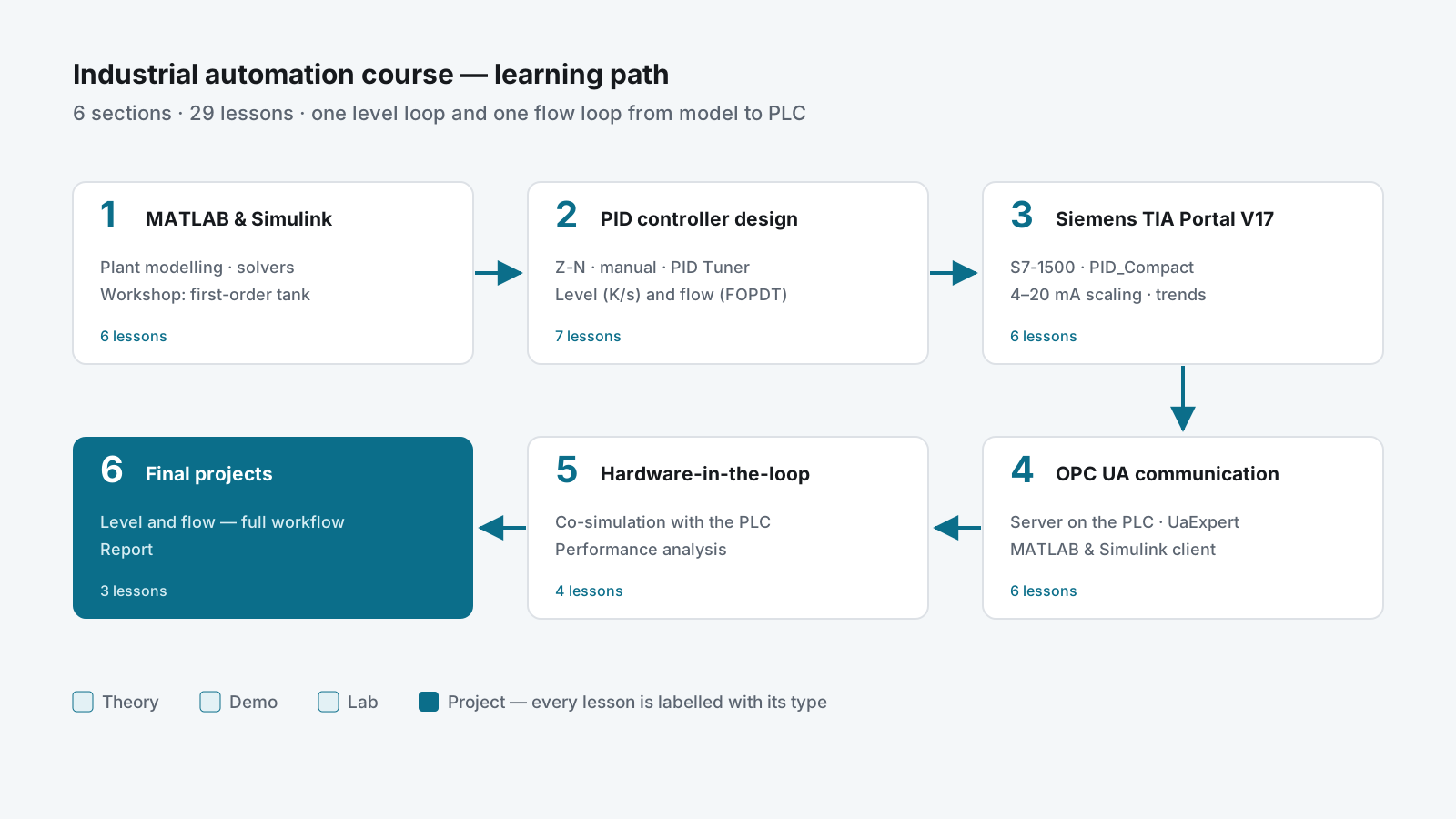
| Section | Lessons | Focus |
|---|---|---|
| 1 · MATLAB & Simulink fundamentals | 6 | Plant modelling, solvers, first workshop |
| 2 · PID controller design | 7 | Tuning methods, level and flow loops |
| 3 · Siemens TIA Portal V17 | 6 | S7-1500, PID_Compact, 4–20 mA scaling |
| 4 · OPC UA communication | 6 | Server on the PLC, MATLAB and Simulink client |
| 5 · Hardware-in-the-loop | 4 | Co-simulation, performance analysis |
| 6 · Final projects | 3 | Level and flow — full workflow and report |
One plant from start to finish
The course follows the same two loops all the way through: a tank level (an integrating process) and a flow loop (first order plus dead time). Students model them in Section 1, tune them in Section 2, program them in Section 3, connect them in Section 4 and run them against hardware in Section 5. Nothing is a toy example that disappears after one lesson.
Simulation before hardware
Each step adds one real thing. Students tune in Simulink with the PID Tuner, then run PID_Compact on PLCSIM Advanced, then enable the S7-1500’s OPC UA server and check it with UaExpert, then link Simulink to the PLC. Scaling a 4–20 mA signal (raw 0–27648 to engineering units) gets its own lesson, because that is where models and PLCs disagree.
Say what kind of lesson it is
Every lesson is labelled: Theory (concepts on slides), Demo (follow along with the software), Lab (step-by-step on your own) or Project (the full workflow). Learners know before they press play whether they should be watching or doing.
Delivery
- Course outline: 6 sections, 29 lessons, objectives and key content for each
- Lesson handouts for Sections 1–5 and Simulink workshop files
- 12 recorded lessons (February–May 2026), including OPC UA server setup on the S7-1500, an OPC UA block in Simulink, and running a flow loop with a PI controller from Simulink
Result
- A path from “never opened Simulink” to tuning a real PLC loop, in one course
- Lessons reusable in the university course and on the training rig
- Material that shows how I explain control and integration to engineers
Skills used
Course design · MATLAB / Simulink and the PID Tuner · Siemens TIA Portal V17, S7-1500, PID_Compact and PLCSIM Advanced · OPC UA · hardware-in-the-loop testing · video lessons and lab handouts.